01
Context
Bring firm, product, customer, and market evidence together.
Vertical GTM dossier and campaign system
One owner turns company and customer evidence into a complete, editable 15-section plan, a campaign calendar, and the collateral that follows from it.
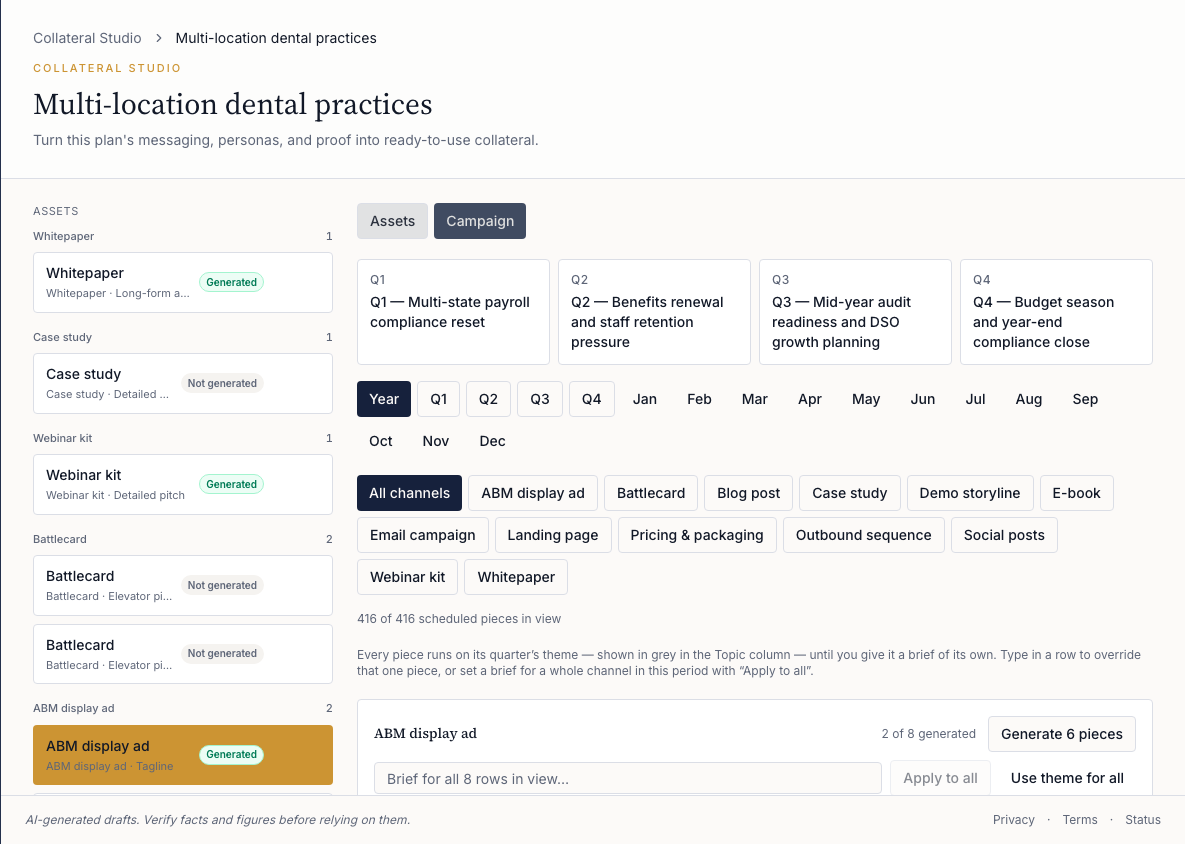 Tap to open the full screenshot
Outcome
Build the company, product, market, and customer context once. Use it across the plan and the collateral produced from that plan.
01
Bring firm, product, customer, and market evidence together.
02
Review and edit a sourced 15-section GTM dossier.
03
Create campaign and sales assets from the same plan context.
04
Review the work, then export it for the team that will use it.
Product proof
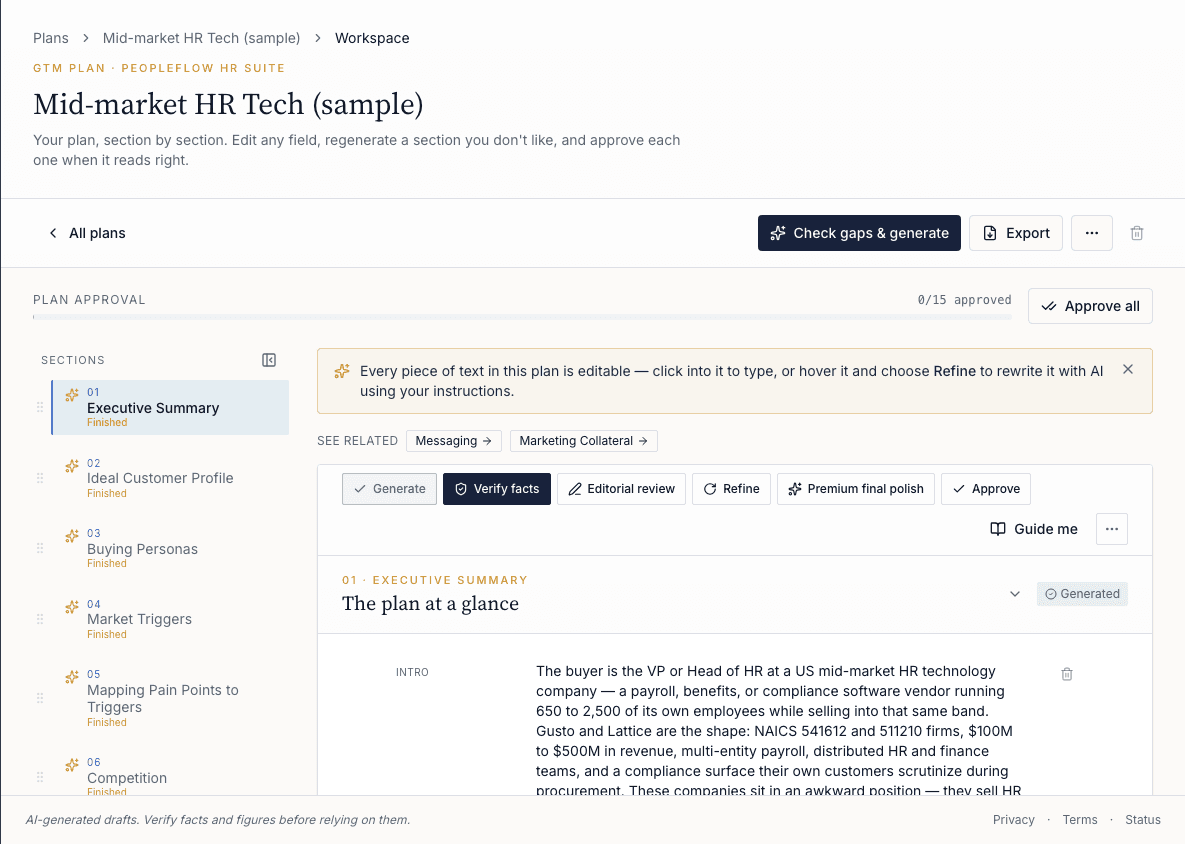
Every section has its own actions: verify facts, editorial review, refine with your instructions, regenerate, approve. Approval is counted section by section, so you can see what is still open.
Explore the plan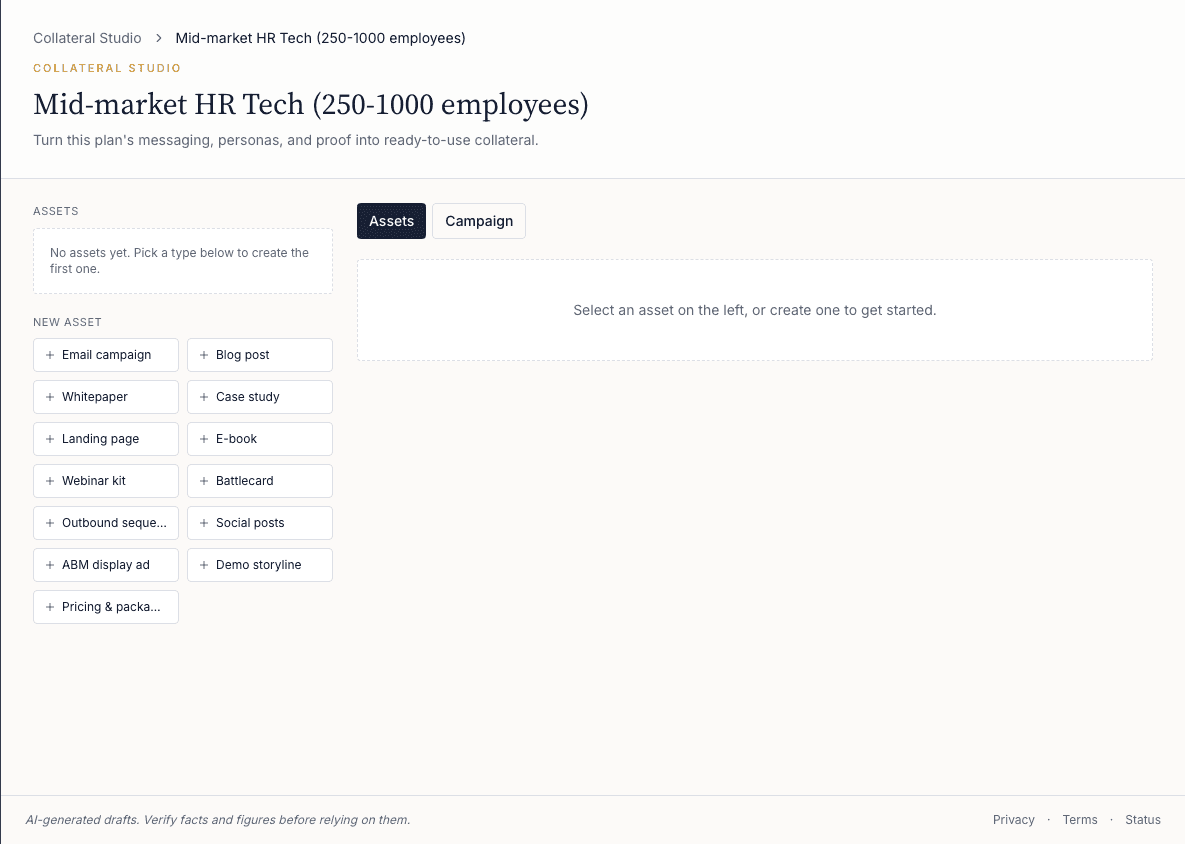
Start any format from the asset list, or switch to Campaign to schedule pieces by quarter, month and channel, then generate a channel's pending pieces in one pass.
Explore Collateral StudioControl boundary
Vertica creates and schedules assets, supports exports, and can create draft campaigns for supported email and sequence assets in Mailchimp. It never sends those campaigns.
Publishing, media spend, and final approval remain with the customer.
Request access
Registrations are invite-only. Request your demo instance and we'll set up a workspace for your firm.